April 2026 Quarterly Release
For help upgrading to the latest version, contact your Cloudhouse Representative. The following table describes each component available to upgrade within this release of Cloudhouse Guardian (Guardian). For more information on the known issues currently present within Guardian, see Known Issues.
Tip: To access a more simplified view of the changes included within this release, see April 2026 Changelog.pdf.
| Release Date | Guardian Platform | Guardian Web | Linux Agent |
|---|---|---|---|
| 30th April 2026 | V4 | V3.65.1 | V5.50.3 |
Guardian Web Application V3.65.1
Here's what's included in V3.65.1 of the Guardian web application as part of the April 2026 quarterly release.
New Features
The following new features are included within this release of the Guardian web application.
Raise a Single Incident per Change Request
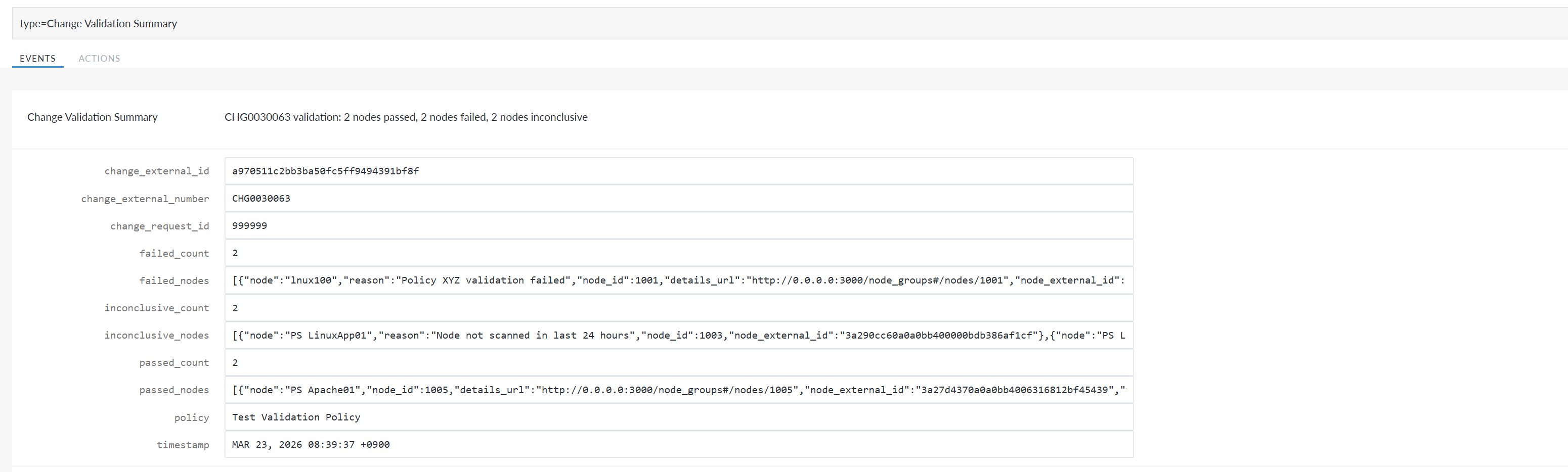
Guardian can now optionally raise a single incident per change request, instead of creating one incident per affected node, when integrated with CMDB tools such as ServiceNow or Freshservice. This enhancement introduces a Change Validation Summary event that aggregates validation results across all nodes in a change request.
Note: The example below demonstrates how the new Change Validation Summary appears within the Events tab (Control > Events).
Tip: This process requires a ServiceNow or Freshservice integration to be configured in Guardian. For more information, see ServiceNow Integration and Freshservice Integration.
The Change Validation Summary summary can be used to:
-
Create one consolidated incident.
-
Link multiple failed nodes (CIs) to that incident.
Note: In ServiceNow, the incident will only link failed nodes. In Freshservice, you can configure the incident to link both passed, failed, and inconclusive nodes.
-
Maintain a direct link back to the original change request.
-
Include a clear breakdown of passed, failed, and inconclusive nodes.
ServiceNow Feature Enablement
For ServiceNow integrations, this behavior is controlled by a new Raise incident per change request checkbox on the Create a Record in ServiceNow page, making the feature fully opt‑in. To display this new checkbox, the Record Type drop-down list must be set to 'Incident'.
Tip: For more information on this page, see Add a Create a Record in ServiceNow Action.
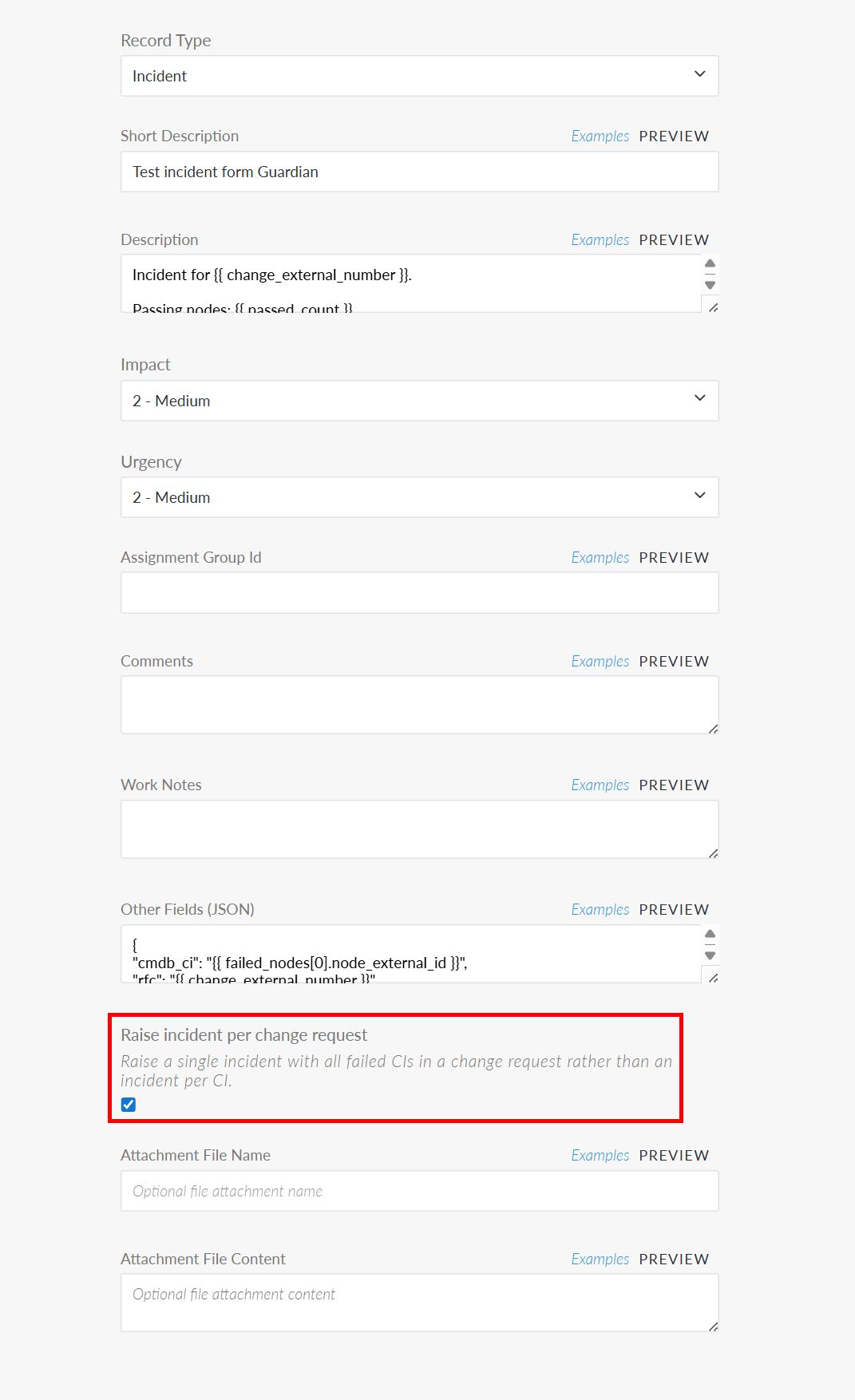
Once enabled, when the Change Validation Summary event is triggered it will link all failed nodes within a single incident in ServiceNow.
Freshservice Enablement
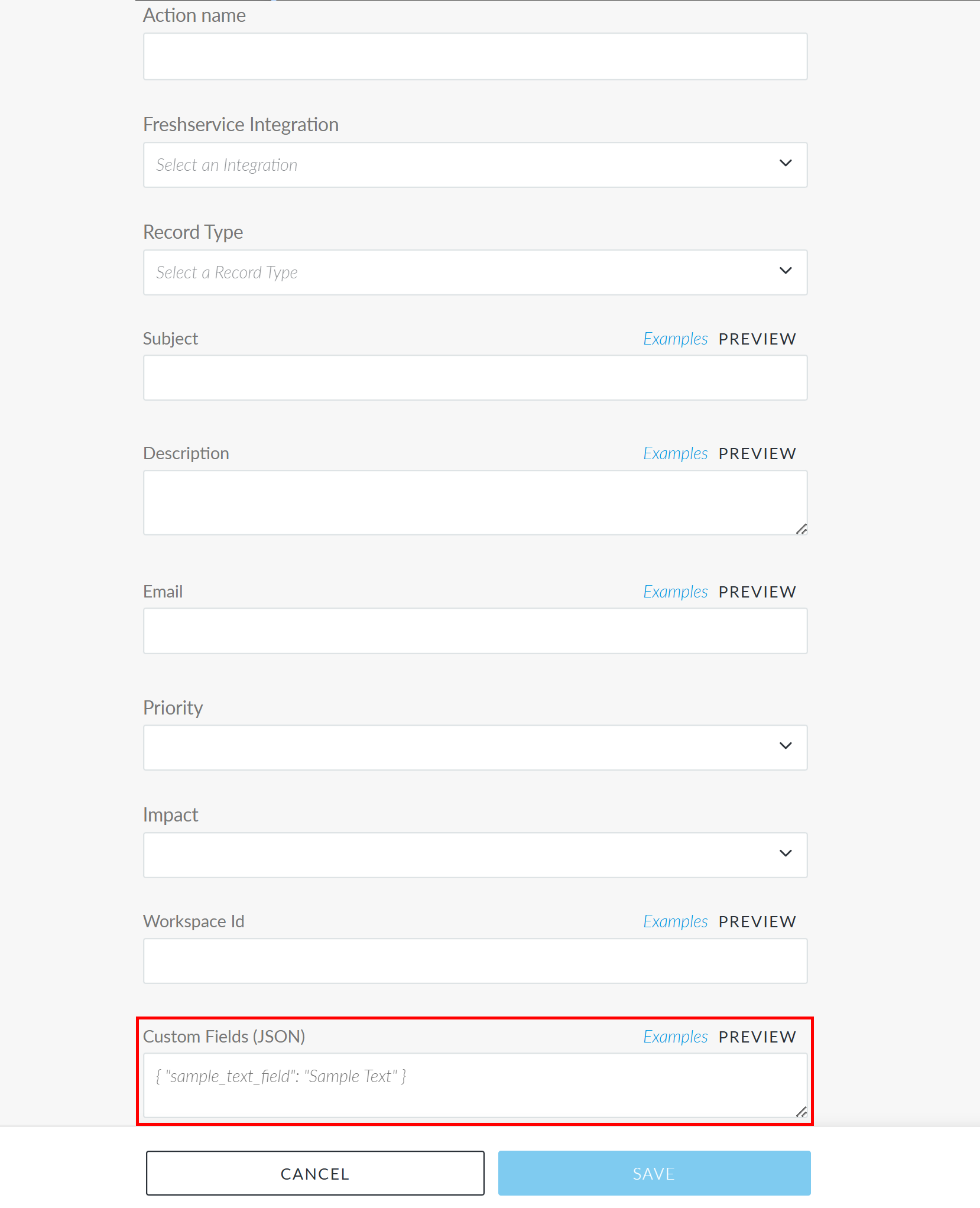
For Freshservice integrations, this behavior is controlled by the Custom Fields (JSON) field on the Create a Record in Freshservice page, making the feature fully opt‑in. To enable this feature, you need to specify the required fields to raise and link a record via the Custom Fields (JSON) field.
Other Enhancements
The following additional enhancements are included within this release of the Guardian web application.
View Change History for Configuration Items
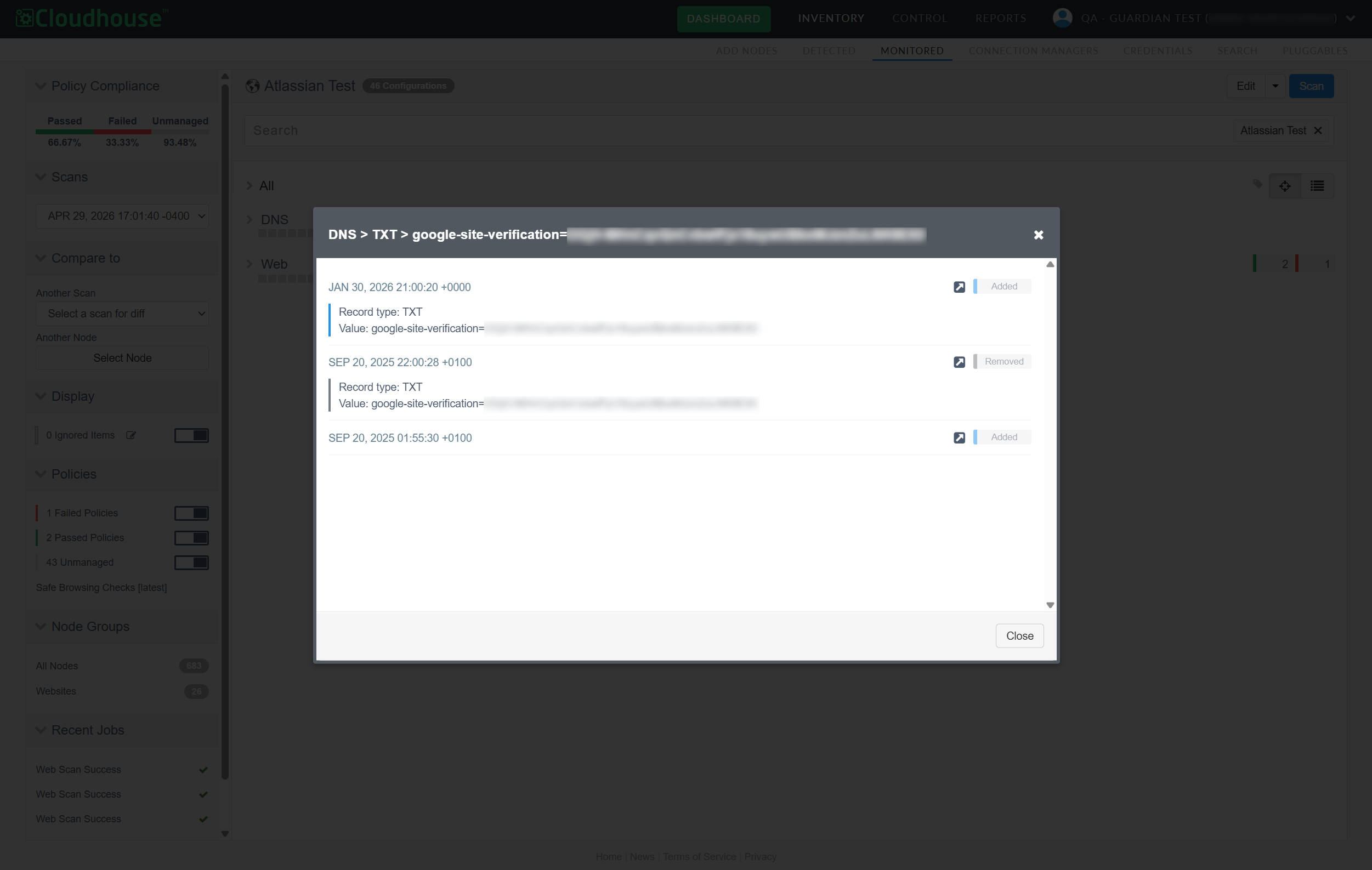
When viewing the results of a node scan on the Monitored tab (Inventory > Monitored) you can now access the entire history of changes that have occurred on each individual configuration within the node scan. Right-click a configuration item and click the new View Change History button to display the change results.
Tip: Previously, this feature was only enabled for configuration items within a Change Report (Reports > Change Report), see View Entire Change History for more information.
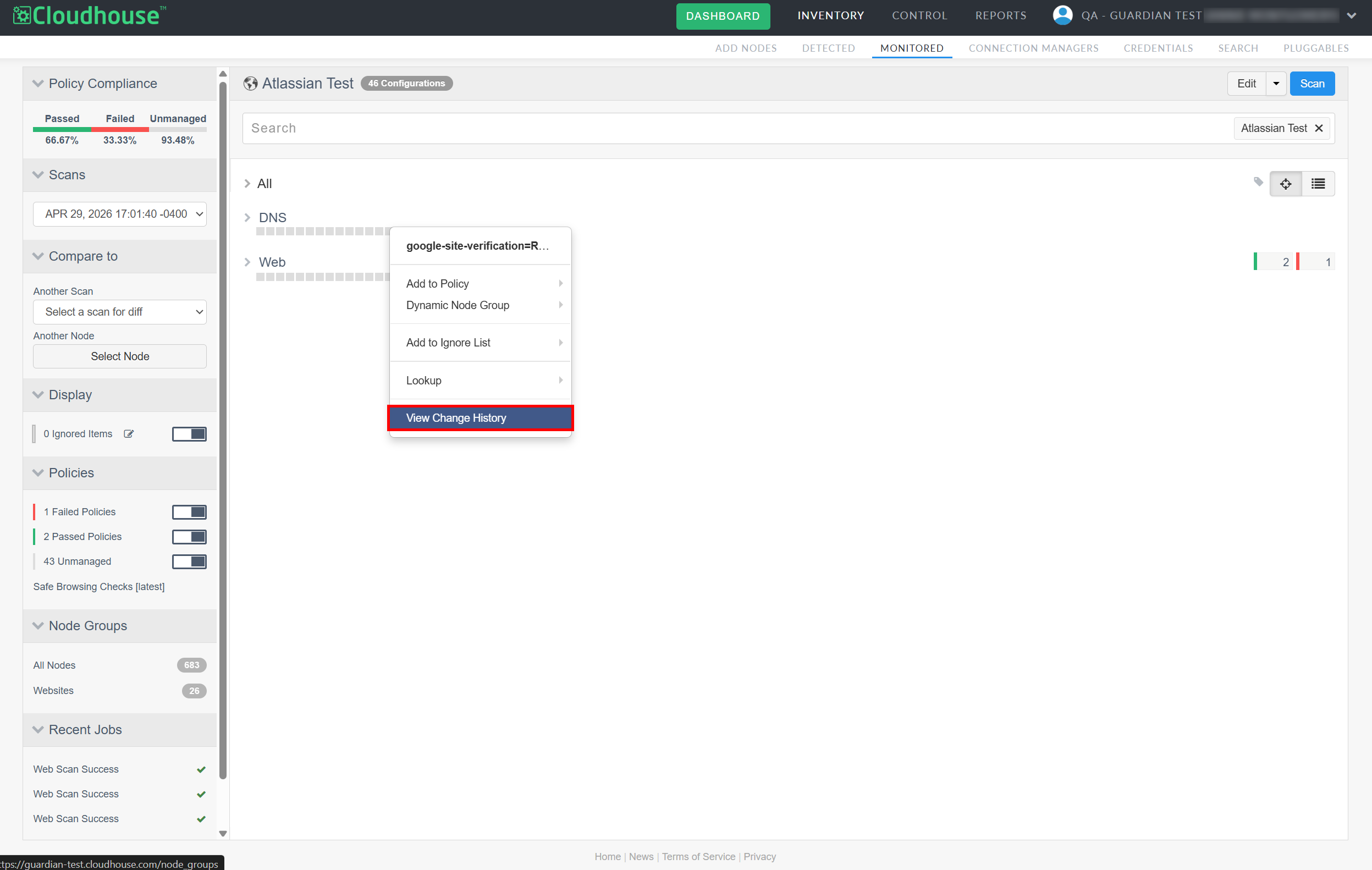
If any changes are detected on the configuration item within the past 12 months, clicking View Change History displays a dialog with a breakdown of all the added, removed, and changed values that have occurred since its inception.
Note: However, if no changes have occurred on the configuration item within the past 12 months, the following message is displayed instead 'No change history found for this item'.
Improved Visibility of Complex Ignored Items
A list of items to be ignored during a scan, such as specific files or version numbers, can be set at the node or node group level. Likewise, you can choose to ignore individual properties of a configuration item (such as ignoring specific elements of a file, but scanning the rest of the contents) or entire configuration items (which would involve ignoring the entire contents of the file). Previously, when viewing ignored items, it was difficult to distinguish between simple and advanced ignore rules as any complex selectors were hidden by default, as demonstrated in the screenshot below.
Tip: For more information on ignore lists, see Node Scan Ignore Lists.
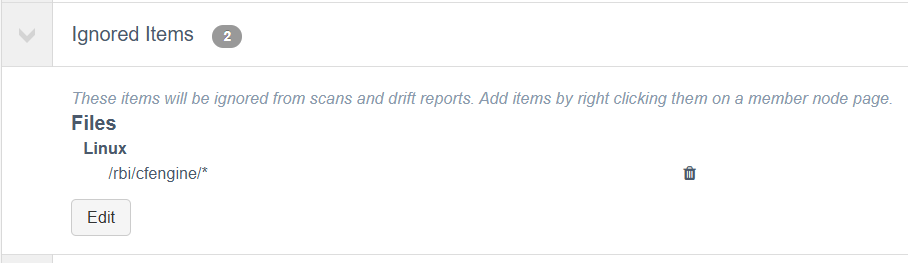
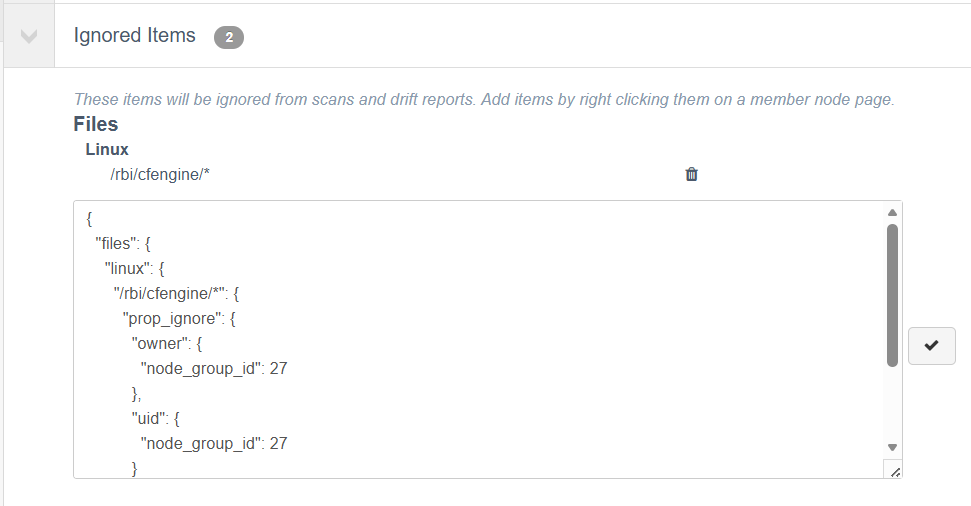
To view the full scope of ignored items, you had to click Edit. As you can see below, the preview of the ignored item did not wholly convey the complexity of the rule. At first glance, it appeared to be a blanket ignore rule for the specified file location, but upon closer inspection it is only ignoring specific properties for all files in that location.
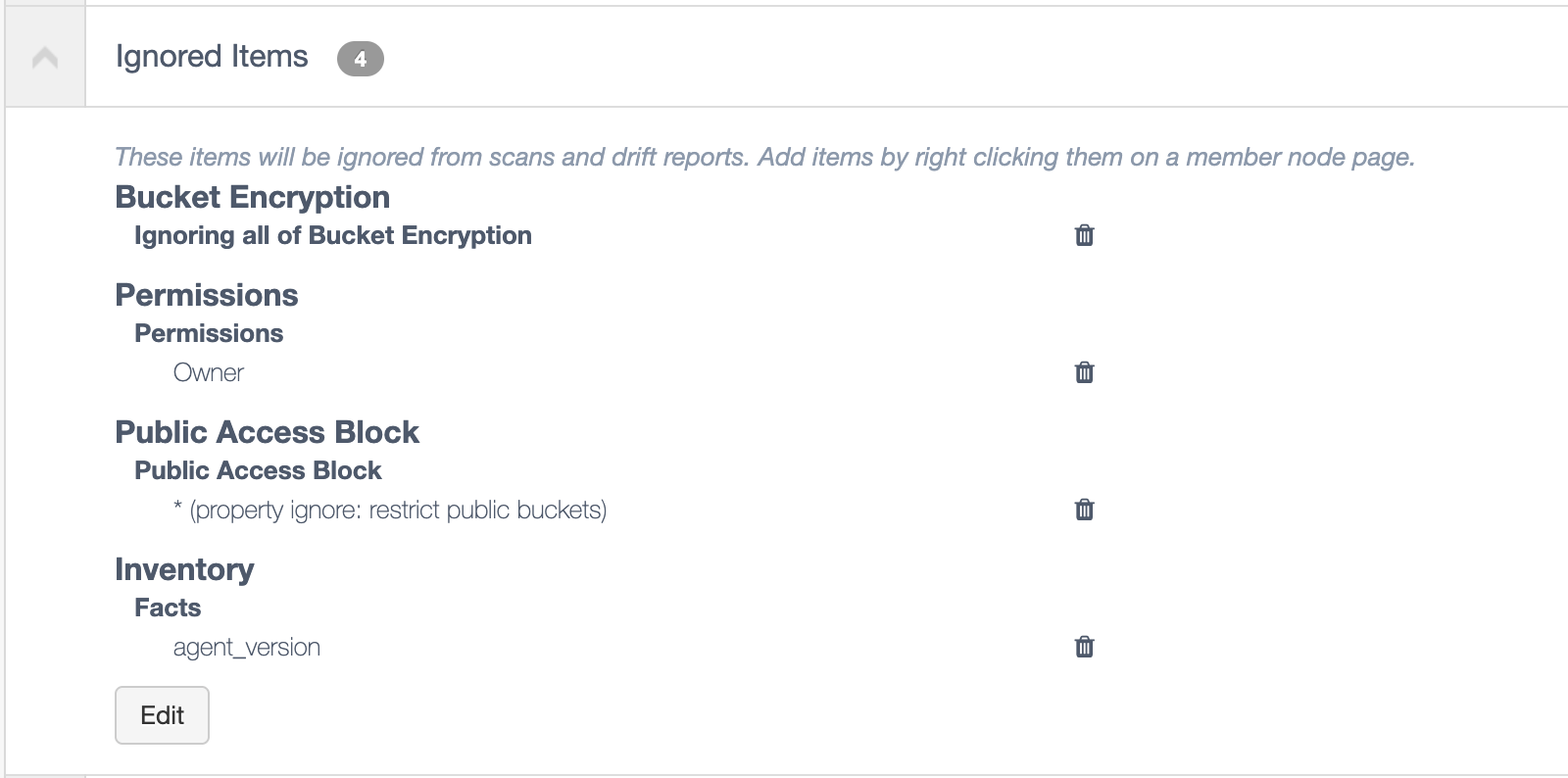
As part of this release, we have updated the Ignored Items drop-down. Now, you can clearly see the full scope of the ignored item's rule, including any additional parameters and complex selectors, without having to edit its contents. This update intends to increase visibility in Guardian and prevent any ignore rules from being misconstrued.
Performance Improvement for Core API When CSTAR is Disabled
We’ve improved core API performance by reducing unnecessary background processing when the optional CSTAR feature is disabled.
Note: The CSTAR job runs background processing to generate, update, and age node scores that support CSTAR reporting and search functionality. To enable this feature, contact your Cloudhouse Representative.
The job now runs only when the CSTAR feature is enabled, removing avoidable work while still ensuring all score data required for search is created via existing Guardian and CIS scan workflows.
Fixed Issues
The following issues have been fixed within this release of the Guardian web application.
| GWB-6549 – First-Time LDAP Users Unable to Sign into Guardian | |
|---|---|
| Affects Versions: V3.64.4 | Fix Version: V3.65.1 |
| Problem: |
First‑time LDAP users on new appliances were unable to log in, even when LDAP authentication succeeded. In addition, some authentication errors were not correctly surfaced in the UI, resulting in silent login failures or unclear error messages. |
| Solution: |
Guardian now correctly handles LDAP authentication and user synchronization for first‑time LDAP users. Required user fields are populated as part of the LDAP sync process, authentication flow issues have been resolved, and backend errors are now properly propagated to the UI. As a result, LDAP users can log in successfully, and appropriate error messages are displayed when login is not permitted due to configuration or access rules. |
| GWB-6519 – ServiceNow Discovery Settings not Applied to ESXi Nodes | |
|---|---|
| Affects Versions: V3 (onwards) | Fix Version: V3.65.0 |
| Problem: |
In some cases, ESXi nodes imported via ServiceNow discovery were not created with the operating system, connection manager group, port, and credentials specified in the discovery job. This resulted in some nodes appearing with incorrect connection settings after import. Tip: For more information on ServiceNow discovery, see ServiceNow Integration and Synchronize Nodes – Job Type. |
| Solution: |
ServiceNow discovery now correctly applies the configuration defined in the discovery job when creating ESXi nodes. Nodes are created with the expected OS, connection manager group, port, and credentials, whether they are auto-added or staged during discovery. |
| GWB-6526 – Unlock Guardian Account Page Broken | |
|---|---|
| Affects Versions: V3.63.0 | Fix Version: V3.65.0 |
| Problem: |
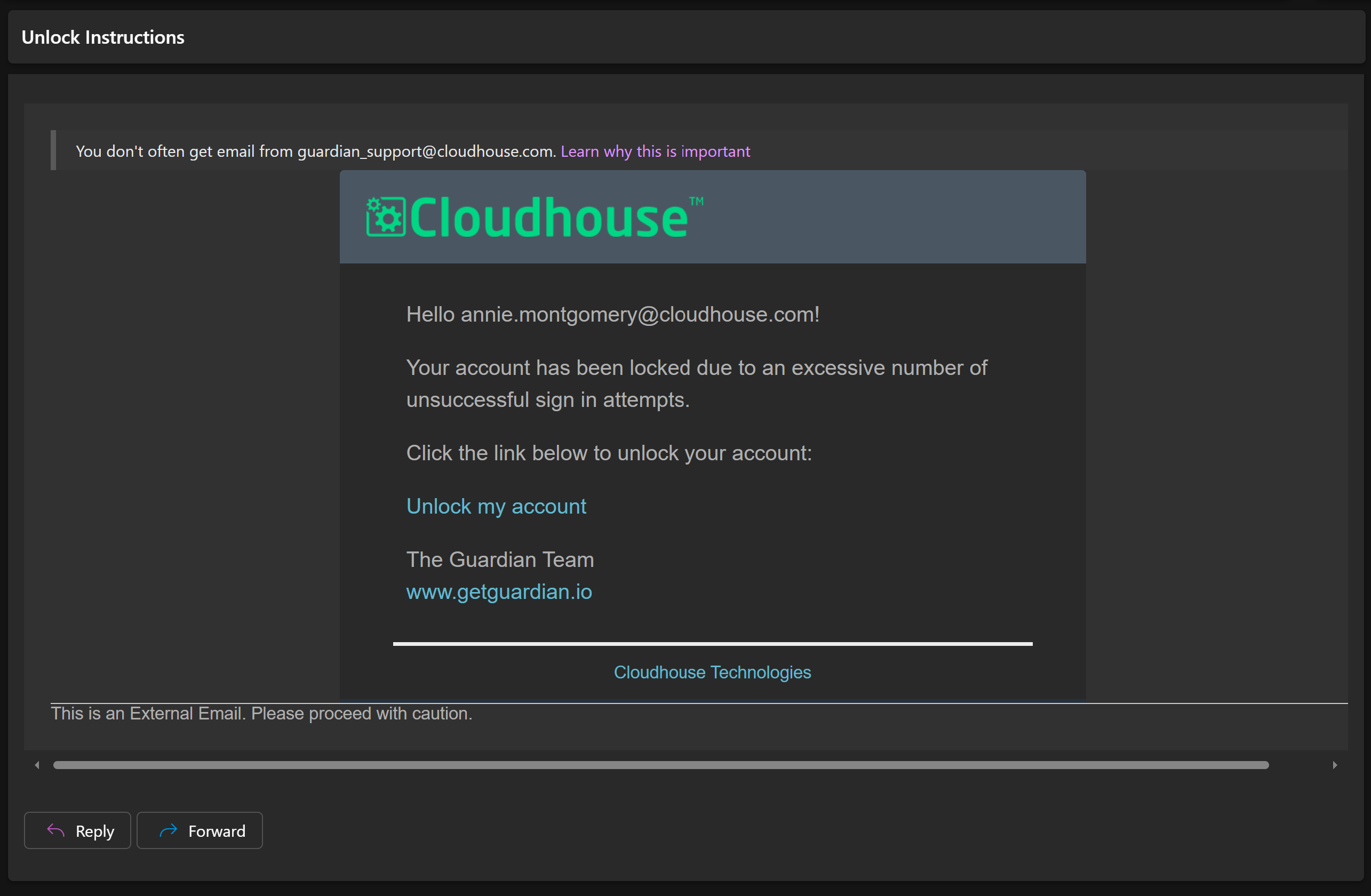
If you enter the wrong credentials to your Guardian account 4 times, your account is locked (meaning you can no longer attempt to sign in) and an email is sent to the address associated with your account, inviting you to unlock your account. Note: If you do not know the password to your account, click Reset password.
However, when clicking the link in the email ('Unlock my account'), you are presented with a blank page and no indication whether your account has been unlocked. |
| Solution: |
We have updated the link in the email and the page that enables you to unlock your Guardian account. Now, when clicking the link to 'Unlock my account', the sign in page is displayed with the following confirmation message, 'Account unlocked'. You are then able to sign in as expected. |
| GWB-6536 – Unable to Access Appliance Health Stats (Admin only) | |
|---|---|
| Affects Versions: V3.62.1, V3.63.0 | Fix Versions: V3.64.6, V3.65.0 |
| Problem: |
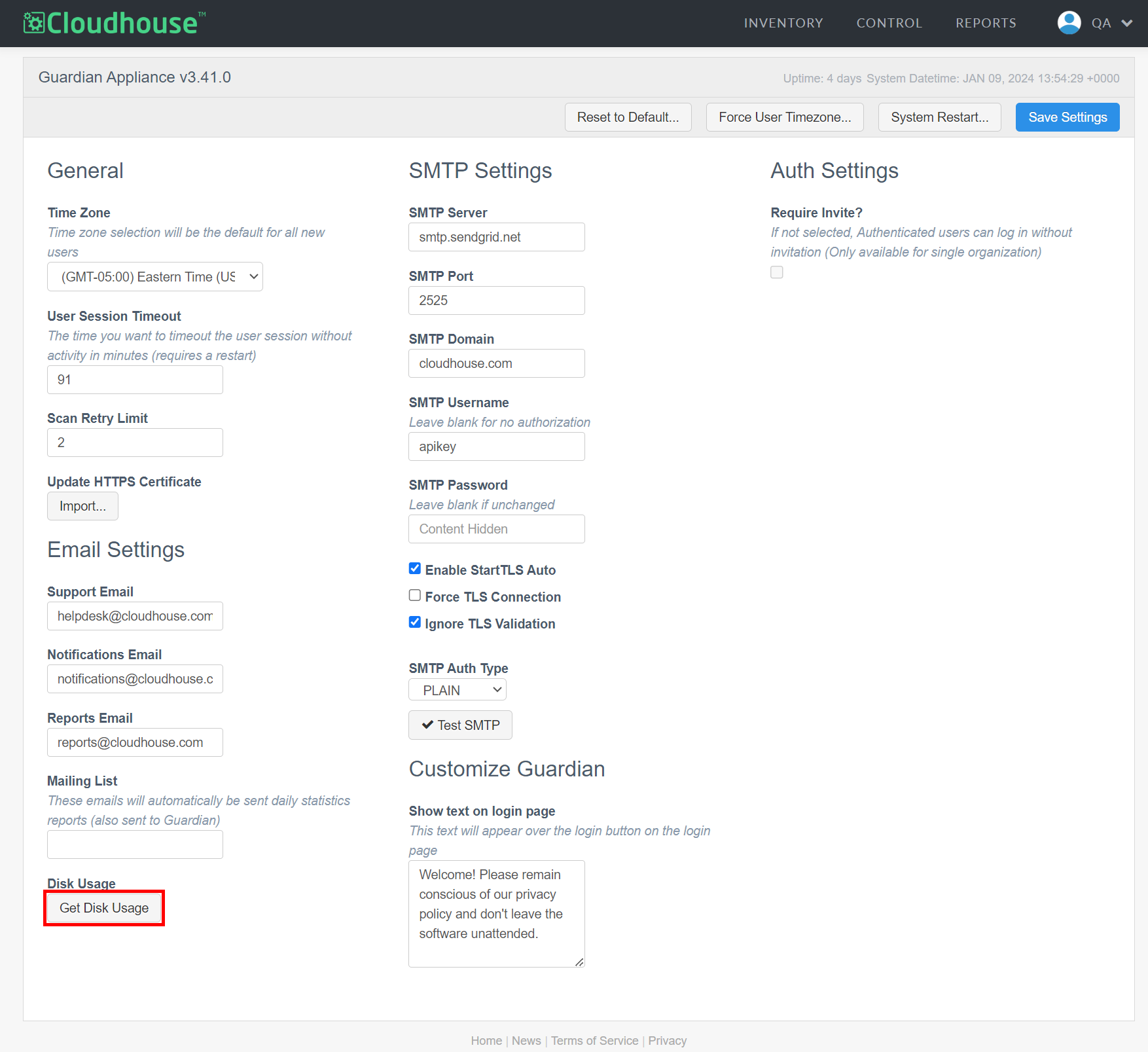
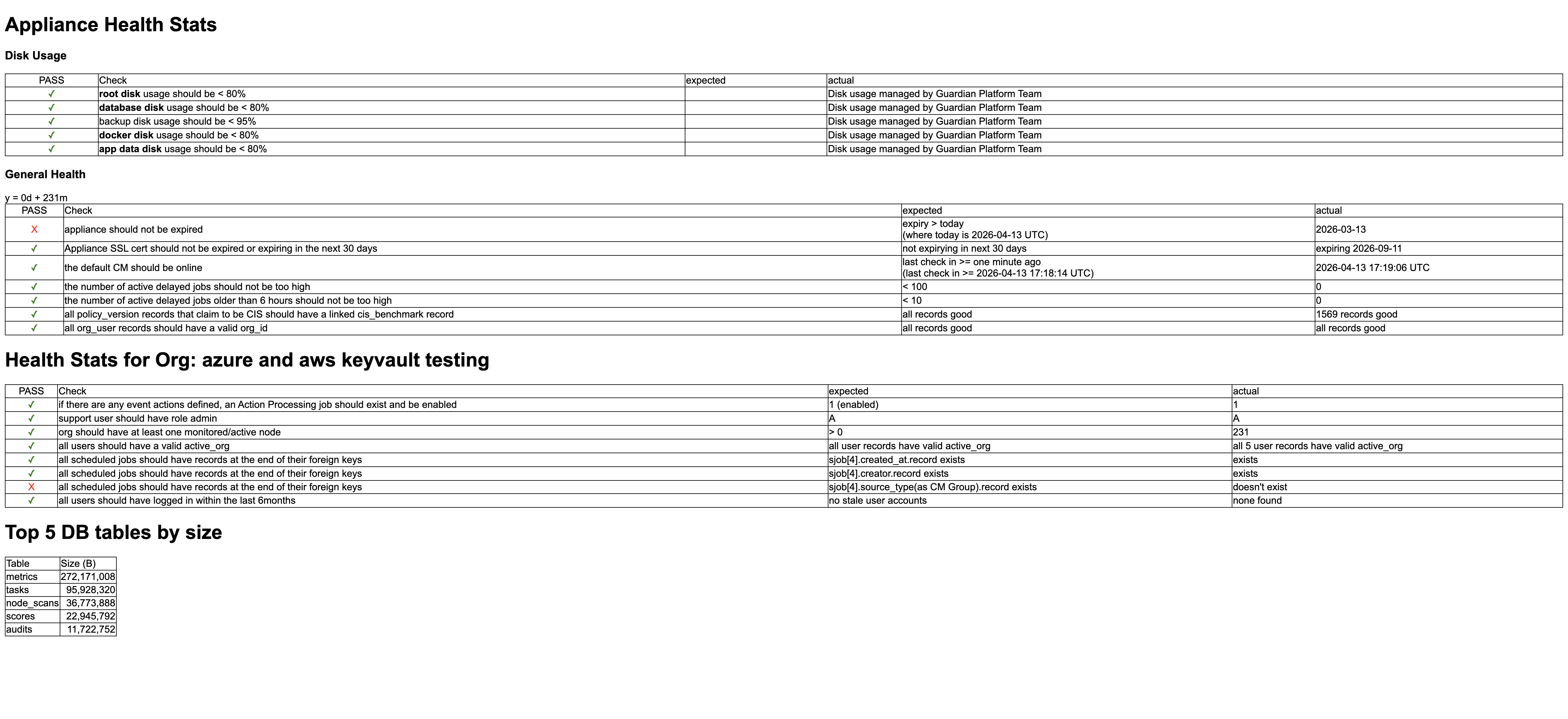
On the Settings page (Account > Settings) clicking the Health Stats button displays a breakdown of your appliance's health statistics in table format. However, clicking the Health Stats button resulted in the following error being displayed, 'Error, failed to load user's current organization record'. Tip: Only Guardian administrators can access the Settings page. In addition, the Health Stats button is only displayed if your Guardian instance is hosted on-prem. For more information on this page, see Guardian Settings.
|
| Solution: |
We have updated the code to ensure that clicking the Health Stats button displays a breakdown of your appliance's health statistics, as expected.
|
| GWB-6530 – Compare to Node Panel Displaying 0 Results | |
|---|---|
| Affects Versions: V3.61.0 | Fix Version: V3.65.0 |
| Problem: |
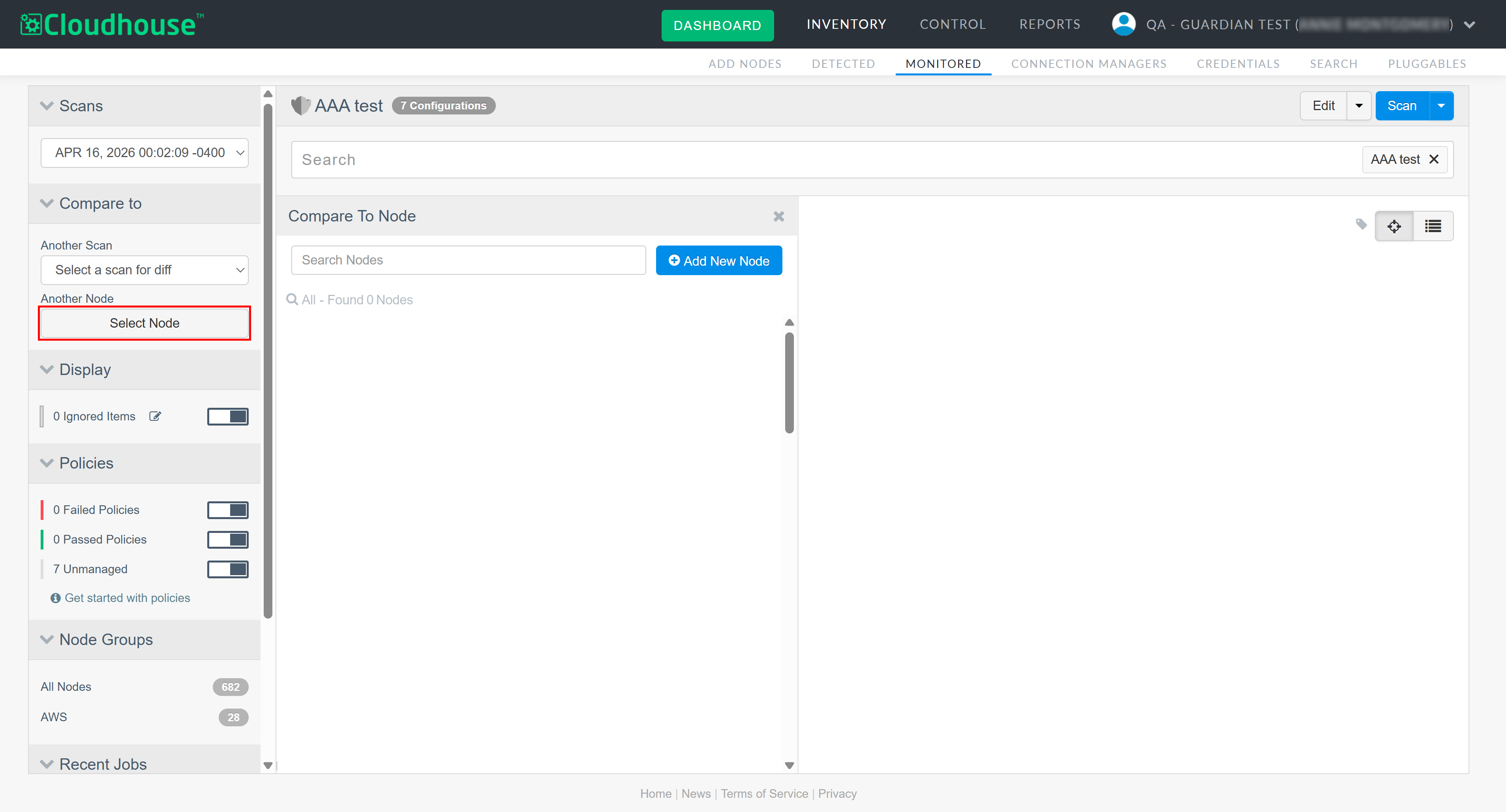
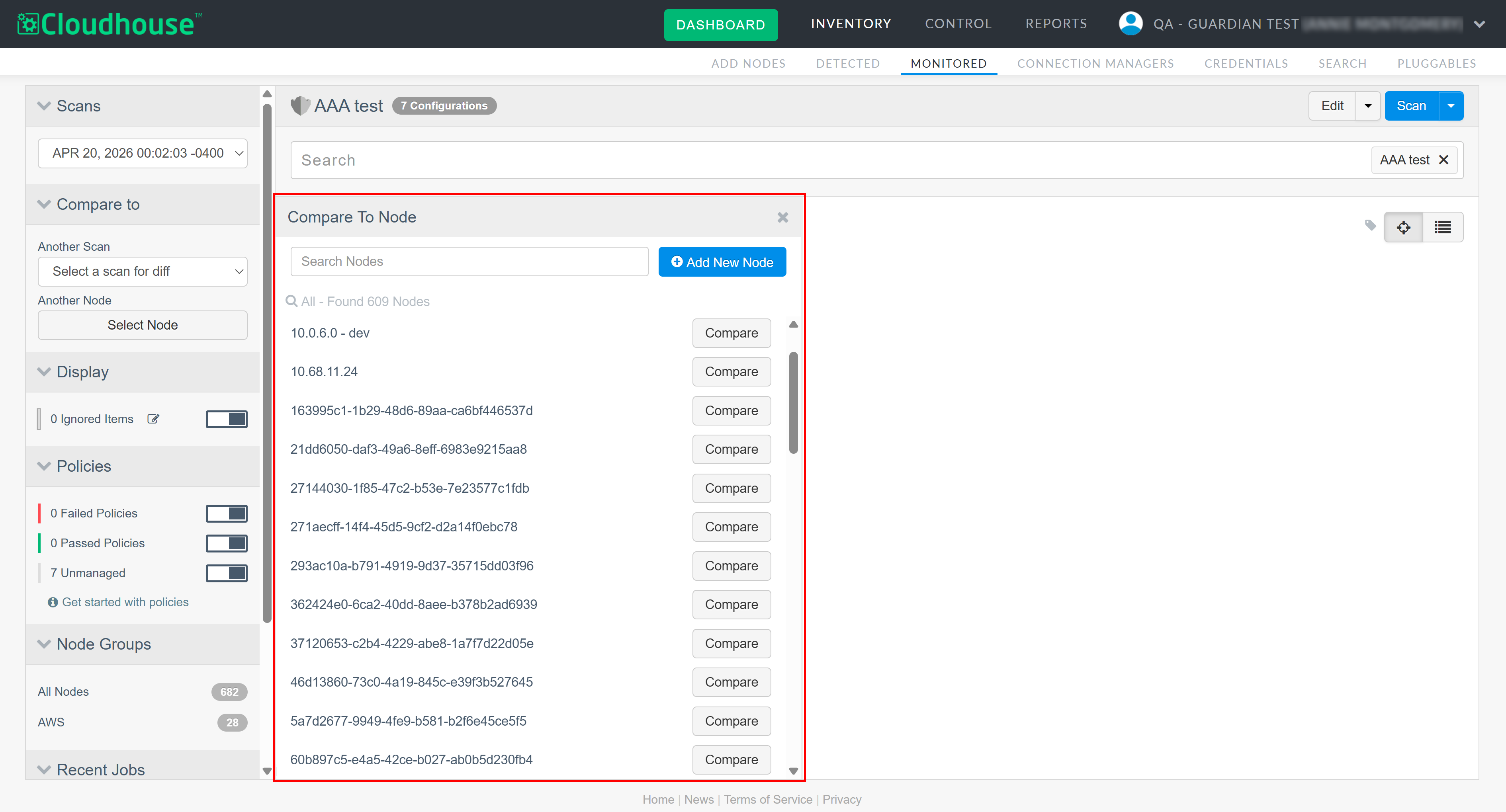
When viewing a node's scan results, if you click Select Node in the Compare to drop-down menu, the Compare to Node side panel is displayed. The panel should display a list of all the nodes in your Guardian instance available for you to select and compare. Instead, an error was returned when attempting to view the Compare to Node side panel, resulting in no results being displayed. Tip: For more information on comparing scan data, see Configuration Differencing.
|
| Solution: |
The error was a result of incorrect logic within the back-end database. We have since corrected the logic and now, if you click Select Node in the Compare to drop-down menu, the Compare to Node side panel is displayed and populated with a list of nodes available for you to select as expected.
|
| GWB-6515 – Pending Tasks Processing After Job Timeout | |
|---|---|
| Affects Versions: V3 (onwards) | Fix Version: V3.65.0 |
| Problem: |
When a scheduled job timed out after 12 hours, its associated tasks could remain in a 'Pending' state. This allowed Connection Managers to continue collecting and reporting thousands of invalid tasks for jobs that were already timed out, causing excessive memory usage and instability in the core API. |
| Solution: |
We now automatically time out all pending tasks when their parent job times out, preventing further collection or reporting. In addition, task collection has been restricted to pending tasks belonging only to active jobs, ensuring invalid or orphaned tasks are never picked up. |
Linux Agent V5.50.3
Here's what's included in V5.50.3 of the Linux Agent as part of the April 2026 quarterly release.
New Features
There are no new features included within this release of the Linux Agent.
Other Enhancements
The following additional enhancements are included within this release of the Linux Agent.
Remote Helper OS Detection Improvement
The Guardian Linux Agent no longer attempts to chmod the Remote Helper during OS detection, allowing root-owned, pre-distributed helpers to be detected and used successfully.
Fixed Issues
No issues have been fixed in this release of the Linux Agent.